How to create your first formula
We will be creating a new formula. The whole thing should take about 5 minutes.
Creating the formula
- From the sidebar, click on Formulas
- From the top right, click on New formula.
- Enter a Name. This is the only field you need to think about right now. Everything else is optional and can be changed later.
- Click Create formula.
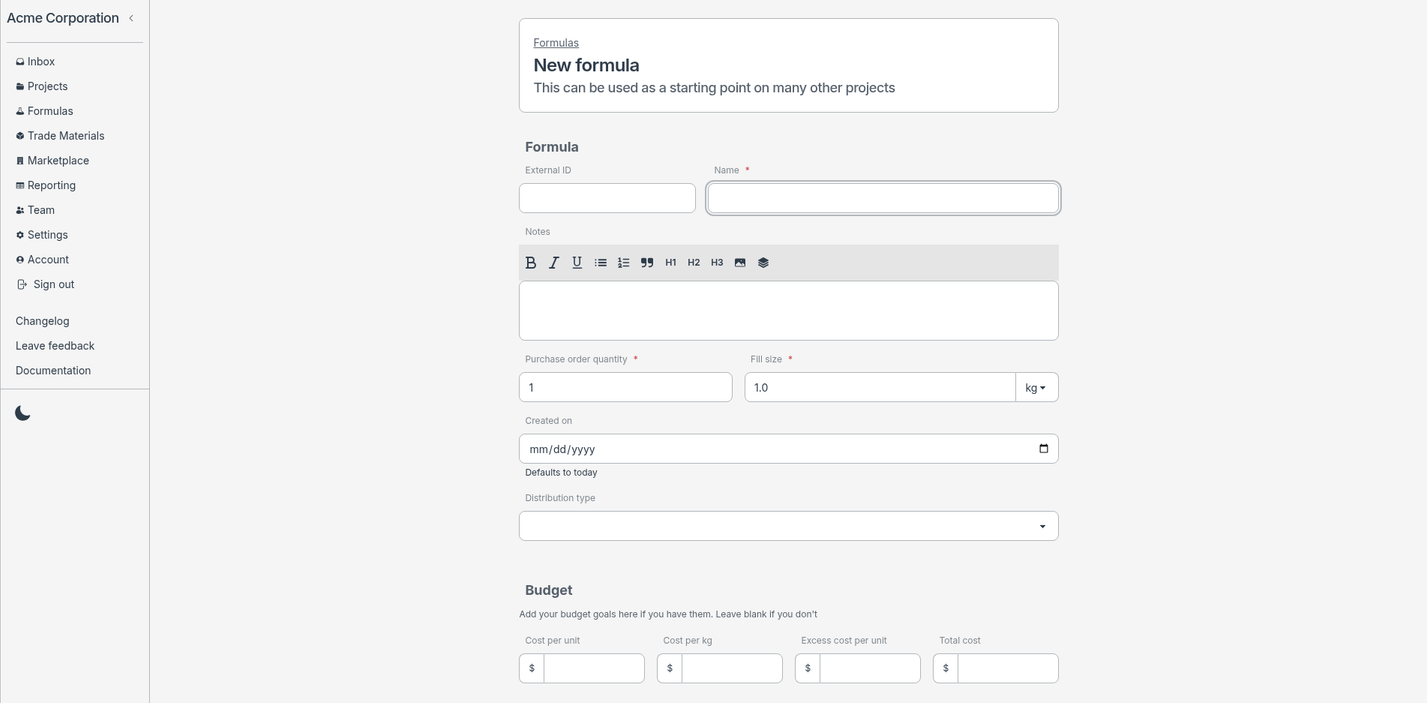
You now have an empty formula, ready for its first ingredient.
Adding an ingredient
An ingredient lives inside a phase and needs an INCI name and a weight percentage. You can create the phase right here while adding the ingredient, so there's no separate setup step.
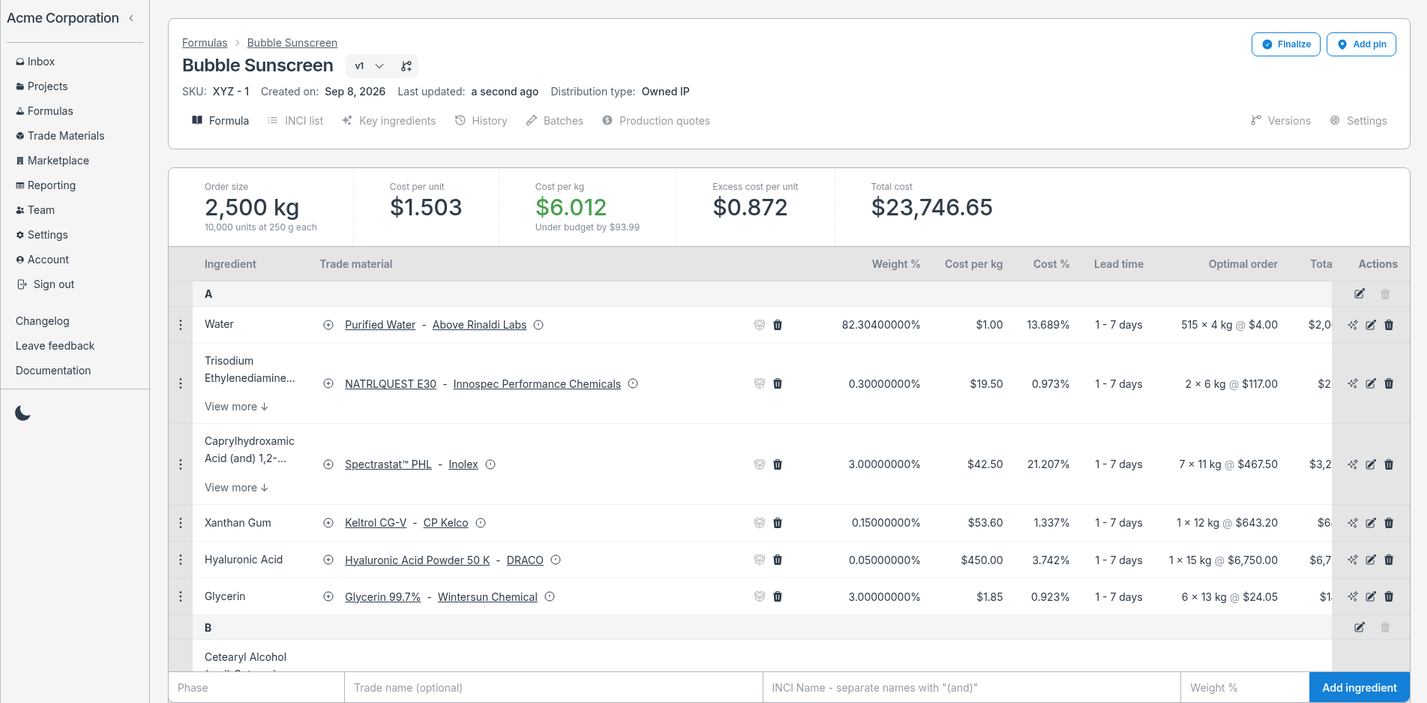
- Start by finding the fields at the bottom of your screen
- For Phase, create a new one and name it
A. (Phases can be named however you like:A,Phase A,Water Phase.) - Look up a Trade name and pick a material. Labgrind searches your trade material library and also suggests similar materials from the global marketplace. Choosing one fills in the INCI name for you and attaches a real, buyable material to your ingredient.
- Enter a Weight %.
- Click the Add ingredient button to add the ingredient.
Because you sourced this ingredient from a trade material, it now has a selected material, which is what every ingredient needs before you can make a batch.
The material is also saved to your trade material library for reuse in future formulas.
Preview it as a batch
A batch scales your formula to a size you'll actually make on the bench.
- Click on New batch.
- Scheduled at defaults to now, leave it, or pick when you plan to make the batch.
- Enter a Batch size, for example
100 g. - Click Calculate.
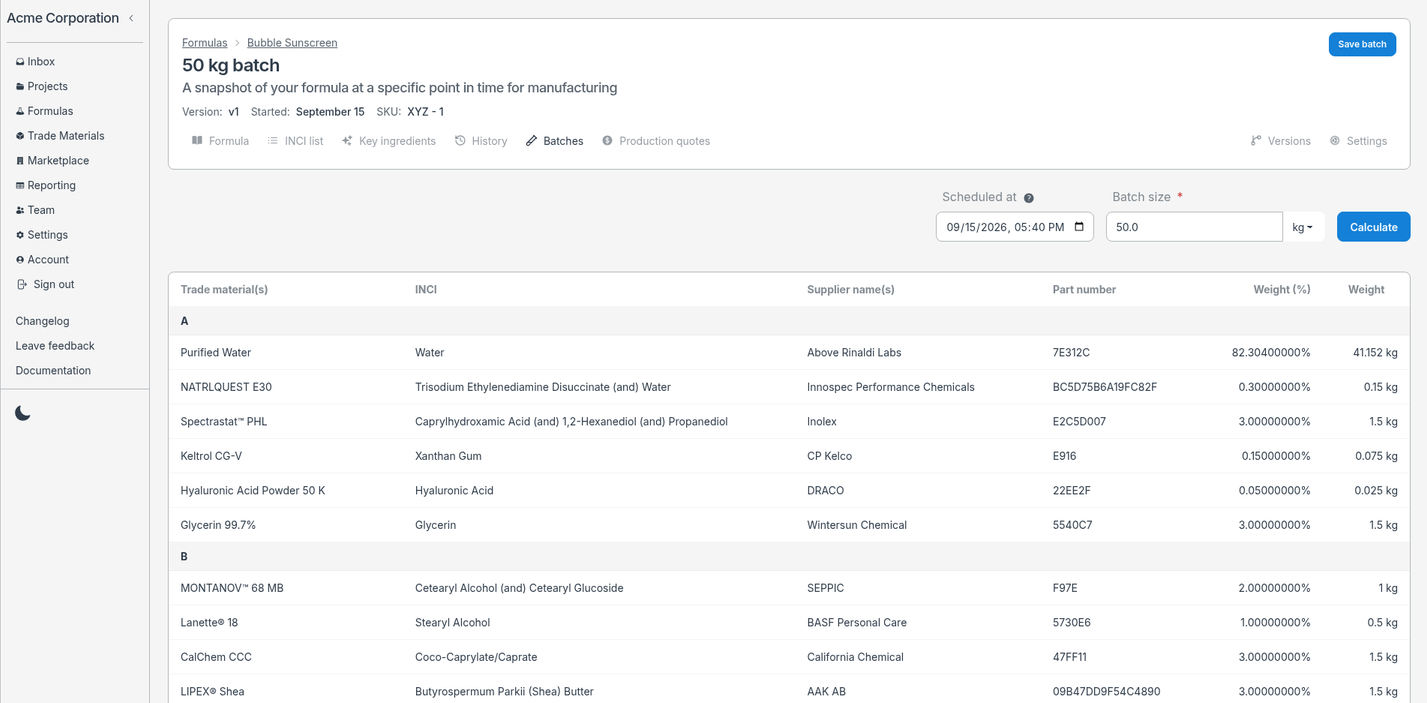
Labgrind scales every ingredient to your batch size and shows you the batch. That's a complete formula, ready to make.
What's next
- Make and record a batch - take this formula to the bench and track weights, timings, and specifications.
- Add alternative materials - compare suppliers for the same ingredient before you commit to one.
- Create a version - experiment on a copy without touching your master formula.
- Generate a report - export your formula or batch as an Excel document.