Batches
Batches snapshot a specific formula version at some point in time. They take all the ingredients, selected materials and procedure and give you exactly what you need to create a small batch of your formula on the bench.
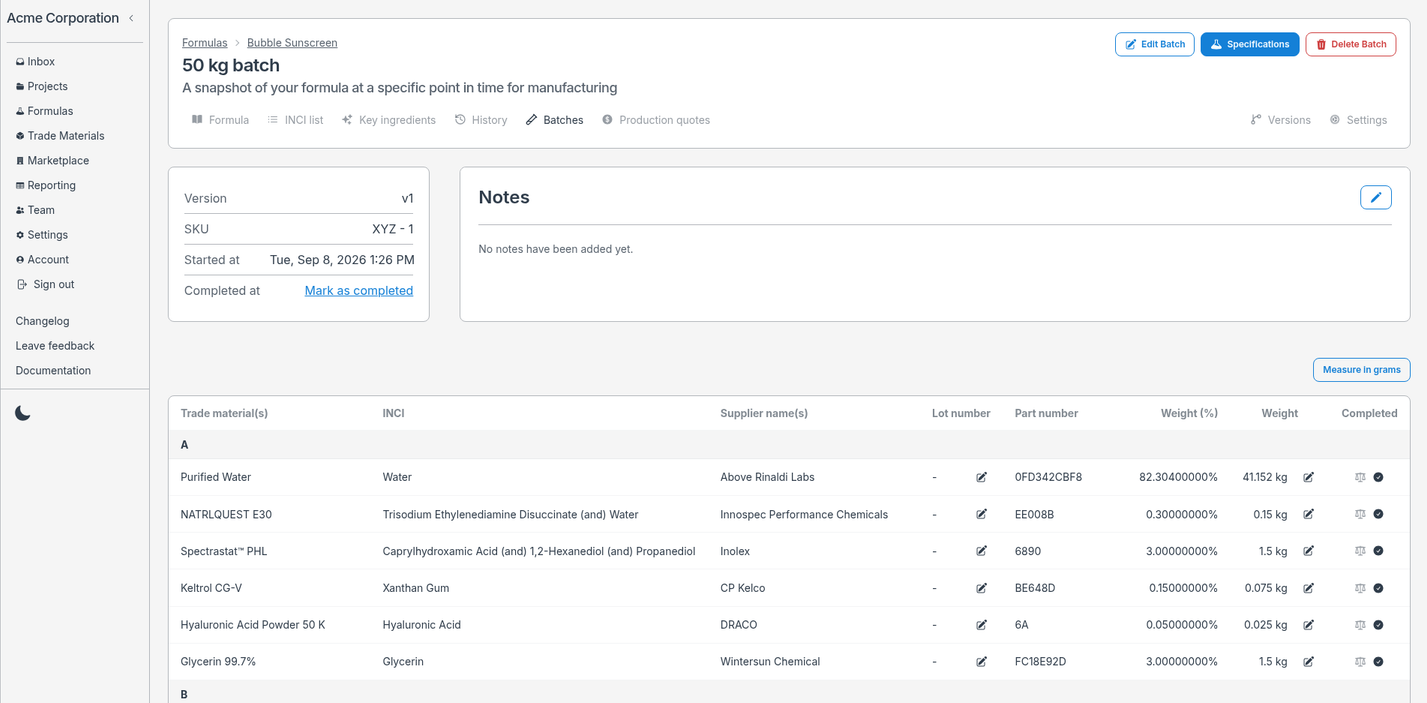
When you create a batch you can set:
- A scheduled time for the batch to be made
- A size for the batch
Once you finish your batch you can record the time it was completed.
Making batches
While making a batch you are free to:
- Change the weight of ingredients
- Edit the procedure you used while making the batch
- Edit the notes for your batch
These will NOT change the values of the original formula version the batch was made from.
While making the formula on the bench you are able to check off 2 separate stages for each ingredient:
- When you weigh the ingredient (optional)
- When you add the ingredient to the batch
Labgrind will record the specific timings of each action so you can easily remember exactly when you performed each step in the process.
Batch specifications
After you have created the batch on the bench you will likely want to record important specifications about the batch over time:
- Appearance
- Odor
- pH
- Specific gravity
- Viscosity
- etc
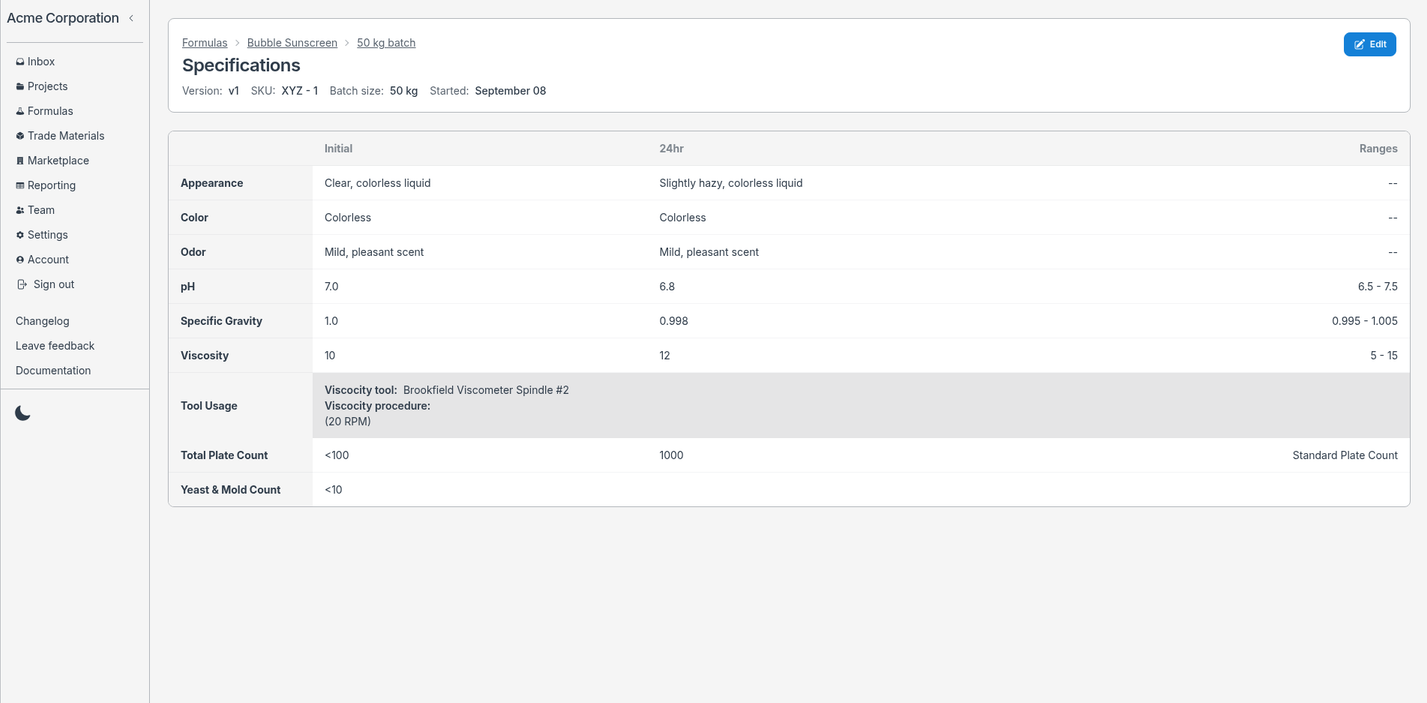
Labgrind allows you to record these values both initially and after a 24 hour period. You can record the ranges and other helpful fields for tracking the success or failure of a specific batch.
All these types of fields are available via templates so you can customize specification Labgrind will generate for you exactly how you like it.