Formulas are easier to organize across projects
- You can now move a formula from one project to another without creating a copy of it.
- You can also remove a formula from a project without archiving it, so it stays available in your library.
- Both options are available from the formula list and from a project's formula list.
The in-app documentation got a major expansion
- New explanation guides walk you through how formulas, batches, materials, and projects work in Labgrind.
Report generation runs in the background
- Generating a report no longer blocks you. You can keep working and even leave the page while your report is built.
- A progress indicator shows when your report is ready, and the download starts automatically.
- Clicking generate again while a report is still in progress reuses the same report instead of creating duplicates.
Reports are more polished
- Rows in generated reports now grow to fit their content, so multi-line cells and wrapped text are no longer cut off.
- You can now loop over individual INCI names in your templates, which is useful for materials with multiple INCI ingredients.
- Newline characters in template
joinarguments are now handled correctly.
Batch weighing improvements
- A new QS button on the adjusted weight form lets you instantly balance the batch to 100% with the remaining weight.
Production quotes show more context
- The supplier name is now shown next to the trade name for each ingredient, so you can tell at a glance where a material is coming from.
- The effect of an overage on the total weight and cost is clearer.
Smaller improvements
- Forms inside modals no longer close when you accidentally click outside of them, so you won't lose your work.
Changelog
v0.19
v0.18
Custom report templates are here, read the documentation for details
- You can now build your own reports by uploading an Excel file as a template. Drop in simple
{{placeholders}}wherever you want live data and generate a styled report with a single click. - Three template types are available: Batch, Formula, and Production Quote, each with its own set of fields like ingredient names, weights, costs, lot numbers, and test results.
- Templates can loop over phases and ingredients to repeat rows, and support Excel-style formatting for numbers, currency, percentages, dates, and measurements.
- Your formatting carries through to the output file — fonts, colors, borders, merged cells, and column widths are all preserved.
- Templates are fully editable, so you can tweak them as your needs change.
- To use one, open a batch, formula, or production quote and pick a template from the new Reports dropdown.
- A new in-app guide walks through building templates, with full documentation available from the sidebar.
- You can now build your own reports by uploading an Excel file as a template. Drop in simple
Production quotes added for formulas
- Production quotes are specific scenarios of your formulas to gather and compare pricing between different options for your clients
- You can add an overage to a quote, a percentage of extra material to account for manufacturing loss. The added cost is shown right on the quote summary.
- Quotes can be combined: select multiple quotes for the same version and view them together as one summary.
- Stocked materials now only waive the cost of unused leftover material
Batch work is faster
- You can mark a material as weighed right from the batch table as you weigh it out as a separate step from adding it
- The adjusted weight for any material can be edited inline on the batch table without opening a separate form.
- Each batch material can have multiple lot numbers assigned to it if you use materials from separate lots
- You can change the procedure of a batch as you're working on it. This will not change the original procedure on the formula.
Versions are easier to date
- Versions now have an "Authored on" date that you can set when creating or editing a version. It defaults to today and appears on the version list and version page. Useful for back-filling old formulas into Labgrind.
Marketplace and supplier improvements
- INCI names now show up in marketplace product search results, making it easier to spot the right product.
- You can add notes to a supplier's page to keep important details close at hand.
- Searching your library from a supplier's page is noticeably faster.
Formula and material improvements
- The "Quantity Sufficient" option is easier to find on the ingredient edit form.
- Editing INCI names and weights directly in the formula table has a cleaner, roomier layout.
UI improvements
- You can now collapse the sidebar to give yourself more room to work on formulas, batches, and reports.
v0.17
Material management has been improved
- Materials now have a clearer lifecycle. You can archive a material to remove it from active use, and if you're sure, permanently hide it from your library.
- Archived materials show up in search results so you can easily find and unarchive them when needed.
- The old "delete" button on active materials has been replaced with an "archive" button. Archiving is reversible.
- Removed the default "Stock" option from materials, this is now controlled only on a formula-by-formula basis.
Formula ingredients are easier to work with
- You can now paste a list of INCI names into the ingredient field and they'll be automatically formatted.
- The weight percentage field is now optional when adding ingredients.
- Archived materials can be added directly to a formula without needing to unarchive them first in case you need to back-fill formulas.
- Phase names are now case-sensitive, so "Phase A" and "Phase a" are treated as different names making typos easier to deal with.
Repositories and versions got new features
- Repositories now have a "distribution type" field with options for:
- Owned IP
- Earned IP
- Raw Material
- Site Transfer
- Unknown IP
- Versions (branches) can now have an optional External ID.
- Repository description was replaced with just notes that now use a rich text editor for better formatting.
- "Delete this version" has been renamed to "Archive this version", with an unarchive option available.
- Repositories now have a "distribution type" field with options for:
UI polish and navigation updates
- Clicking your organization name in the sidebar now takes you to the home page.
- Document icons in the materials table are now always visible, making it easier to see which materials have documents attached.
- Material search suggestions now show the supplier name alongside the material name.
- Suppliers can be navigated to from the formula directly instead of having to go to the material's page first
v0.16
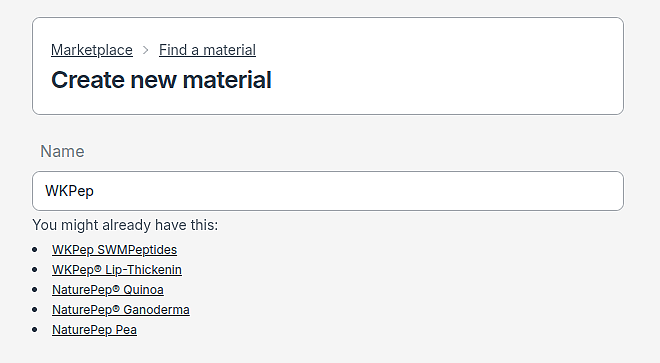
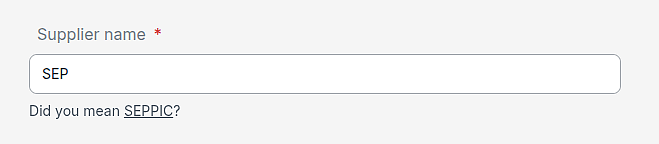
- Search is now smarter across the app
- We added a "Did you mean?" feature. If you misspell a material or product name, we'll suggest the correct spelling.
- Archived materials now show up when searching for formula materials.
- Searching for suppliers, products, and materials now handles special characters, extra spaces, and minor typos much better.
- You can also search your projects from the project list page.
Formula improvements
- You can now mark an ingredient as "Quantity Sufficient" (QS) — the remaining weight is automatically calculated and displayed as a percentage.
- Formula descriptions have been replaced with notes, giving you more flexibility to document your formulas.
- When you change a formula, the associated project's "last updated" date now reflects that change.
- INCI names on the ingredient form now show a helpful note about separating multiple names.
- Added a subtle improvement to the autocomplete when adding ingredients — it now expands upward so it never gets cut off.
Team page improvements
- The team page has been reorganized into clear sections for a better overview.
- Member and invite lists are now paginated, making them easier to navigate in larger organizations.
Batches are now more intuitive
- The batches index page has been cleaned up and is easier to scan.
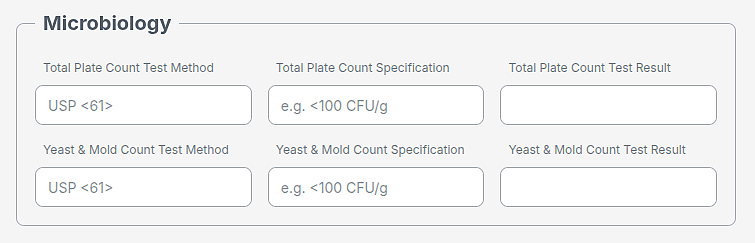
- You can now add microbiology specifications to your batches.
Project list gets a refresh
- Projects now show "last updated" in a friendly time-ago format.
- Added a preferred separator option for project numbering.
General
- Search buttons across the app now have a consistent, softer look.
- Buttons are now properly square where they should be.
- The product search results page looks cleaner and more readable.
- Supplier product search forms have been unified for a consistent experience.
- Search is now smarter across the app
v0.15
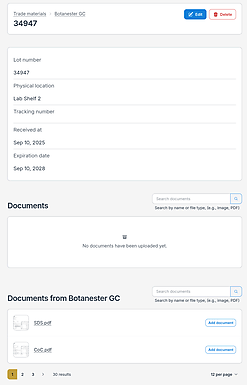
We simplified adding existing documents to material lots
- You can now see all documents belonging to your material from the lot's page.
- Clicking "Add document" from the material's document list will instantly add it to your lot's document list.
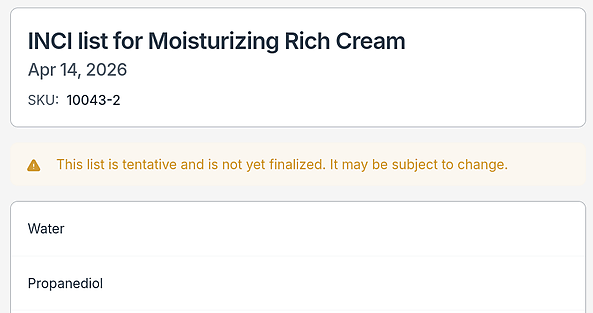
We added the ability to finalize formulas to better communicate its status to your clients
- Formulas can be finalized by clicking a button on the master version's page.
- Shared links will display a warning for non finalized formulas that the list is subject to change.
- Shared links now include the formula's SKU.
Improves searching through products on Marketplace
- Products will now appear even if there are extra spaces or minor spelling mistakes in your search.
We added the ability to brand your organization with a custom name and icon.
- Organizations can now update their brand name and icon via the new "Settings" tab in the sidebar.
- Links you send to your customers will now display your organization's name and icon instead of Labgrind
We added the ability to verify materials in your library. This makes the process of adding new materials easier for your regulatory person. Formulas that have non-verified materials will let you know automatically.
v0.14
Changes how chemicals are displayed
- Merges the chemical impurities table with the compositions table.
- Chemicals now display an impurity badge when applicable.
- Chemicals can now be marked and edited as impurities.
- Increases chemical precision to 8 decimal places.
Adds a chemical breakdown to INCI lists
- Mousing over a chemical's concentration value now displays the contribution of each material to that chemical.
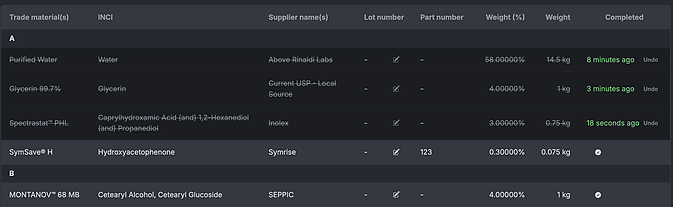
Adds checkboxes to mark batch materials as complete
- Completing a material records the time it was completed.
- When all materials are completed, the batch's completed at timemstamp is automatically set.
v0.13
Adds searching to documents
- Documents can be searched by name or file type, i.e. "pdf", "image".
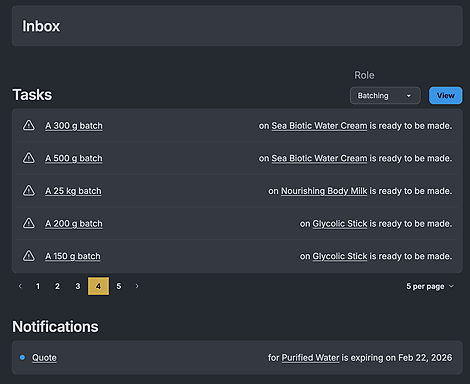
Adds dashboard to display due notifications and tasks
- Users are now notified about important events, such as expiring material quotes or batches pending completion.
- Users can select their role to filter which tasks are displayed.
v0.12
Adds attachments to procedures and notes
- You can now attach files using the button in the top-right corner of the editor.
- Attachments can also be submitted from your gallery.
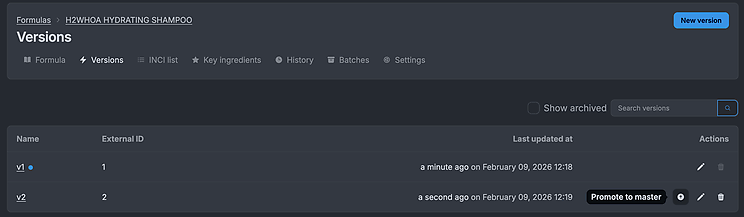
Adds promoting a version to
master- Promoting a version to master makes it easier to track your final version.
- The initial master version is now named
v1by default, to avoid confusion when the master version changes.
v0.11
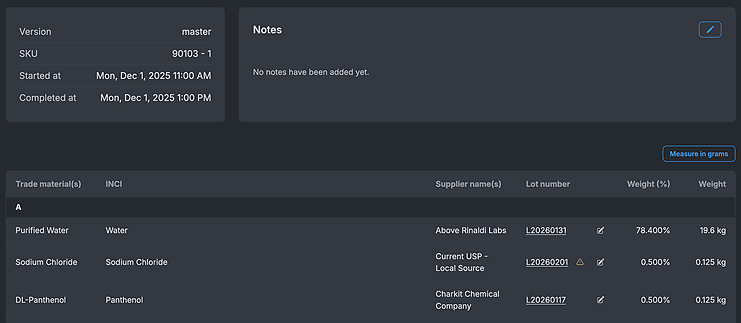
Adds lot numbers
- Lot numbers are assigned to your organization's materials
- Lot numbers show key material info, such as received date, expiration date, and other details.
Batches now display lot numbers
- Batches default to the material's last assigned lot number
- Lot numbers can be edited directly from the batch
Adds
started atandcompleted atfields to batches- Dates can be changed directly from the batch
v0.10
- Adds three new kinds of identifiers:
- European Pharmacopoeia Number
- International Nonproprietary Name
- CosIng Reference Number
- Adds a link to a chemical's CosIng page in the chemical details view.
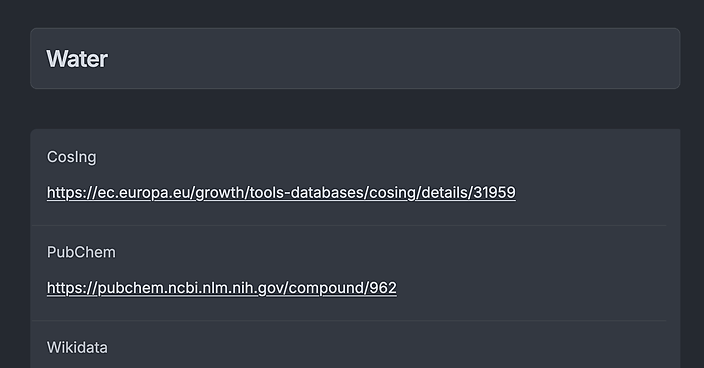
- Imports thousands of new chemicals from the CosIng database.
- Greatly improves the accuracy of identifiers assigned to chemicals.
- Adds three new kinds of identifiers:
v0.9
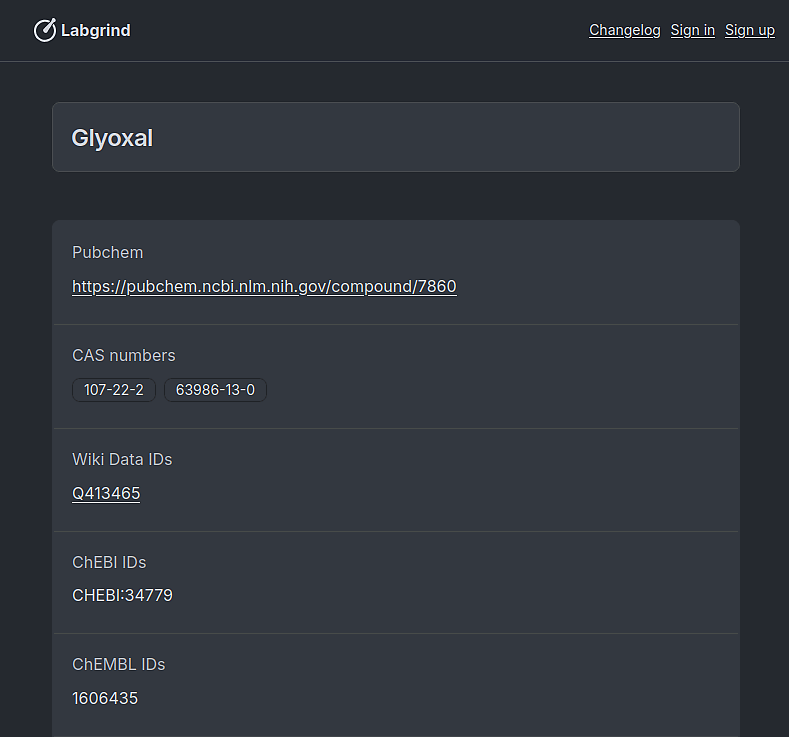
- We added public chemical data including synonyms and identifiers to other sources as a stepping stone to features around regulatory compliance. You can now click on chemicals and be taken to a page with everything you could want to know about.
- The main formula editor got an upgrade and you can now edit fields directly in the table like you would in excel.
v0.8
- Improved adding new materials. It's now a single search to find existing materials or create a new one.
- Adds searching for versions on a formula.
- Adds archiving and unarchiving branches.
- Fixes case sensitivity sorting issues on trade materials.
- Adds the ability to download printable PDFs when making batches for an easier time making them at the bench.
v0.7
The formula table has been updated to better represent data.
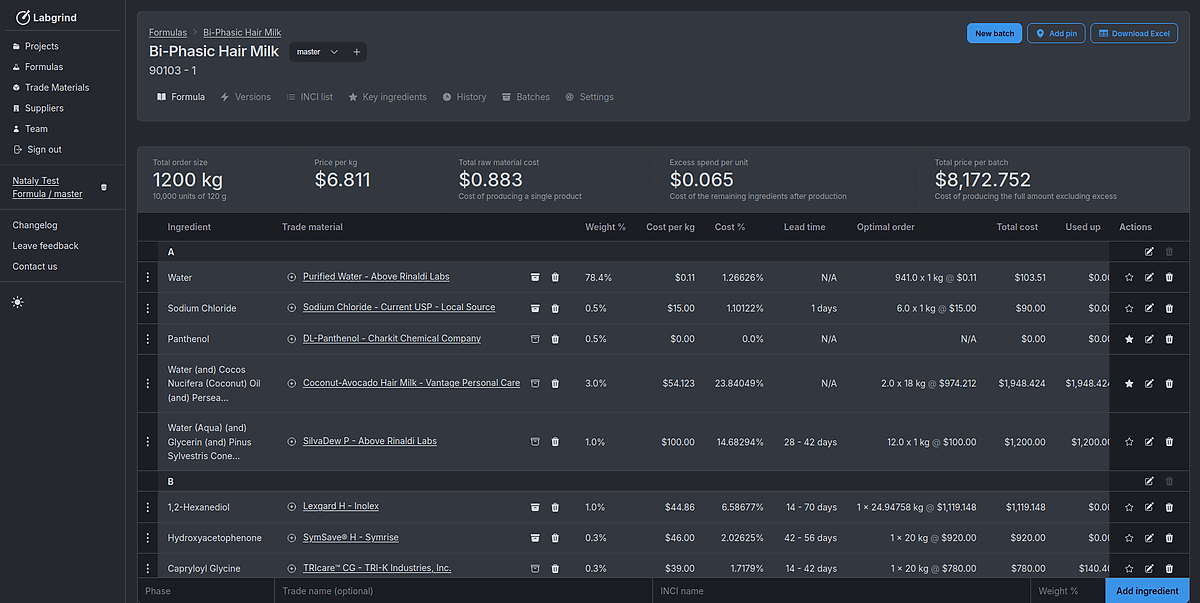
We added in price summaries for
Total cost,Used up, andLeftover coston the table footer.You can now manually select a material to be used for pricing. You can switch between the selected and alternative materials for easy comparison by clicking the check mark button.

To help with deciding on selecting the best material we now display the cost difference between materials.
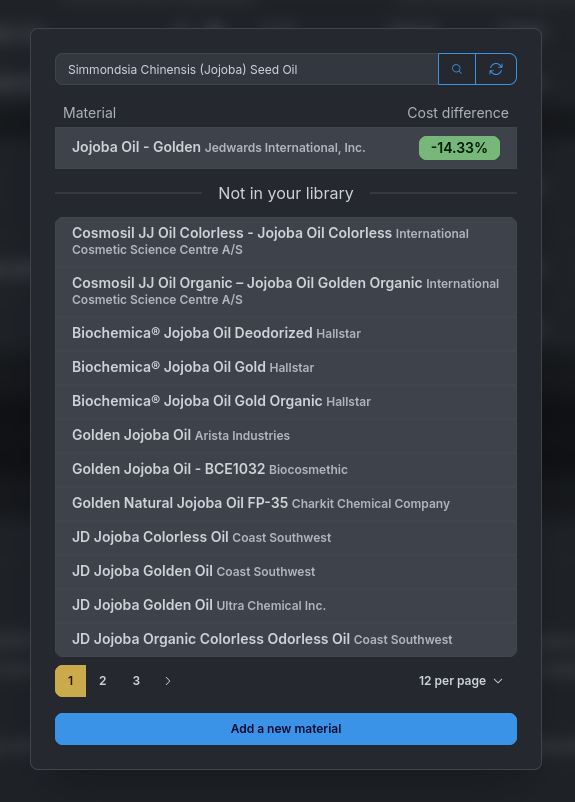
Notes have been moved below the formula table and combined with
Proceduresto better help data representation.Batch creation has been moved into a button on the top right of the formula and you can now view your list of created batches directly from the batch page.
Added beta sign ups for invited labs.
v0.6
- We added new light and dark themes you can switch between.
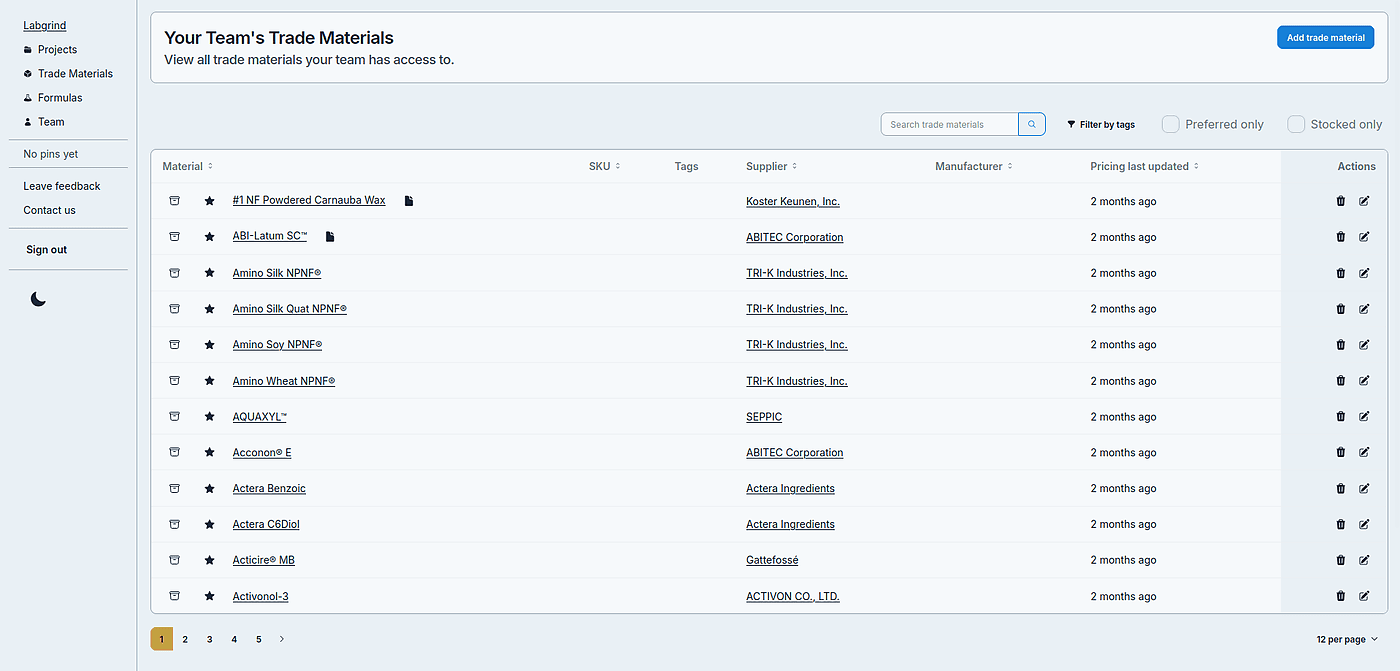
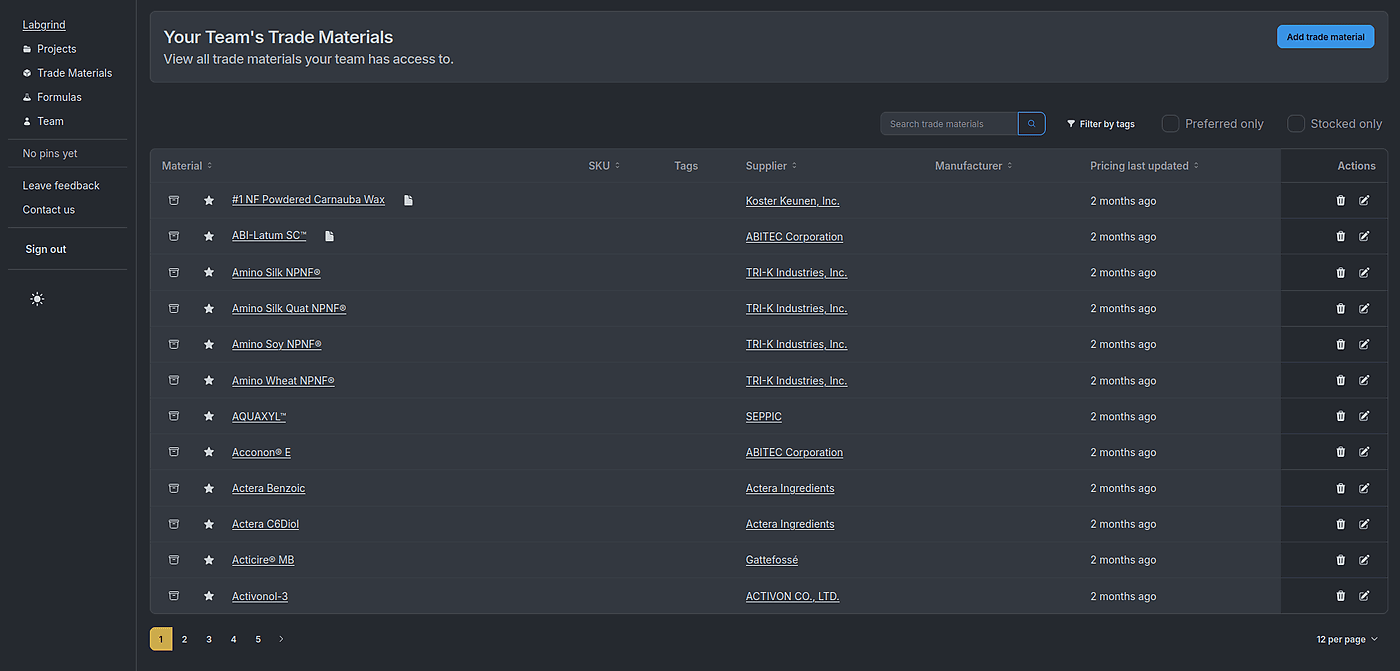
- Uploading documents got easier with drag and drop support. Finished uploads will automatically update themselves.
- Phase names can now be anything instead of just
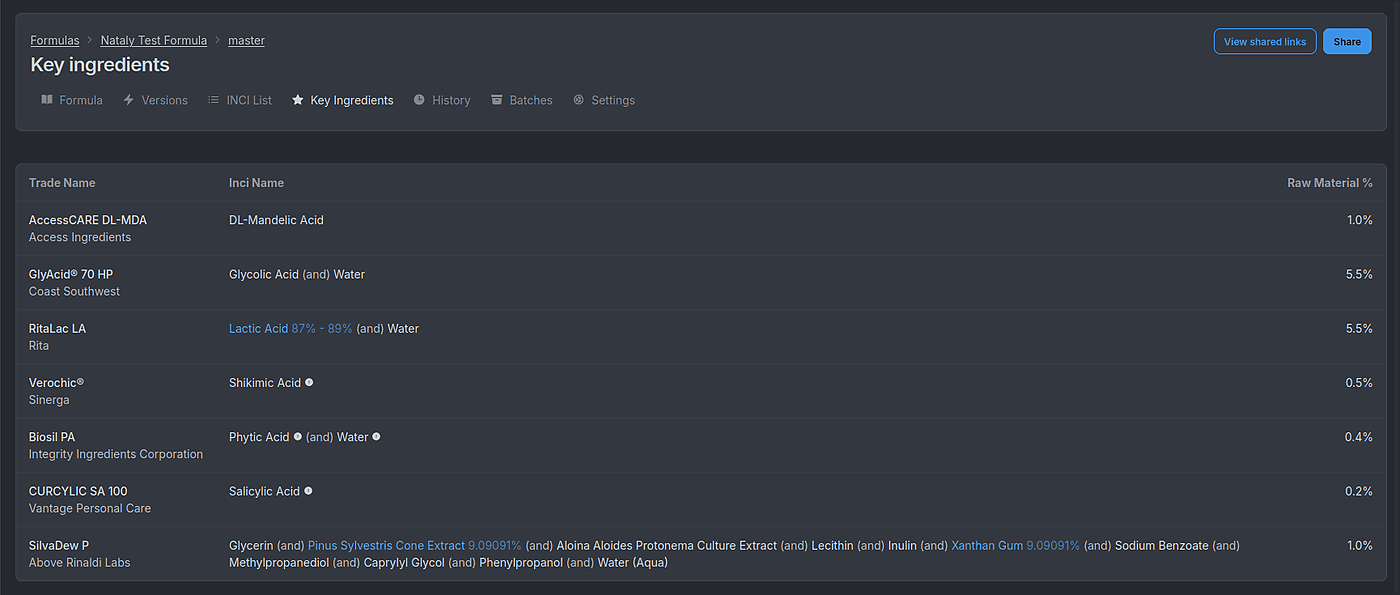
A,B, etc. - Key ingredients can choose to have specific chemicals highlighted.
- Expired share links now redirect to a more friendly page.
- We added new light and dark themes you can switch between.
v0.5
- We moved the branding from our old SkinlabOS to Labgrind.
- We improved the design of the formula pages.
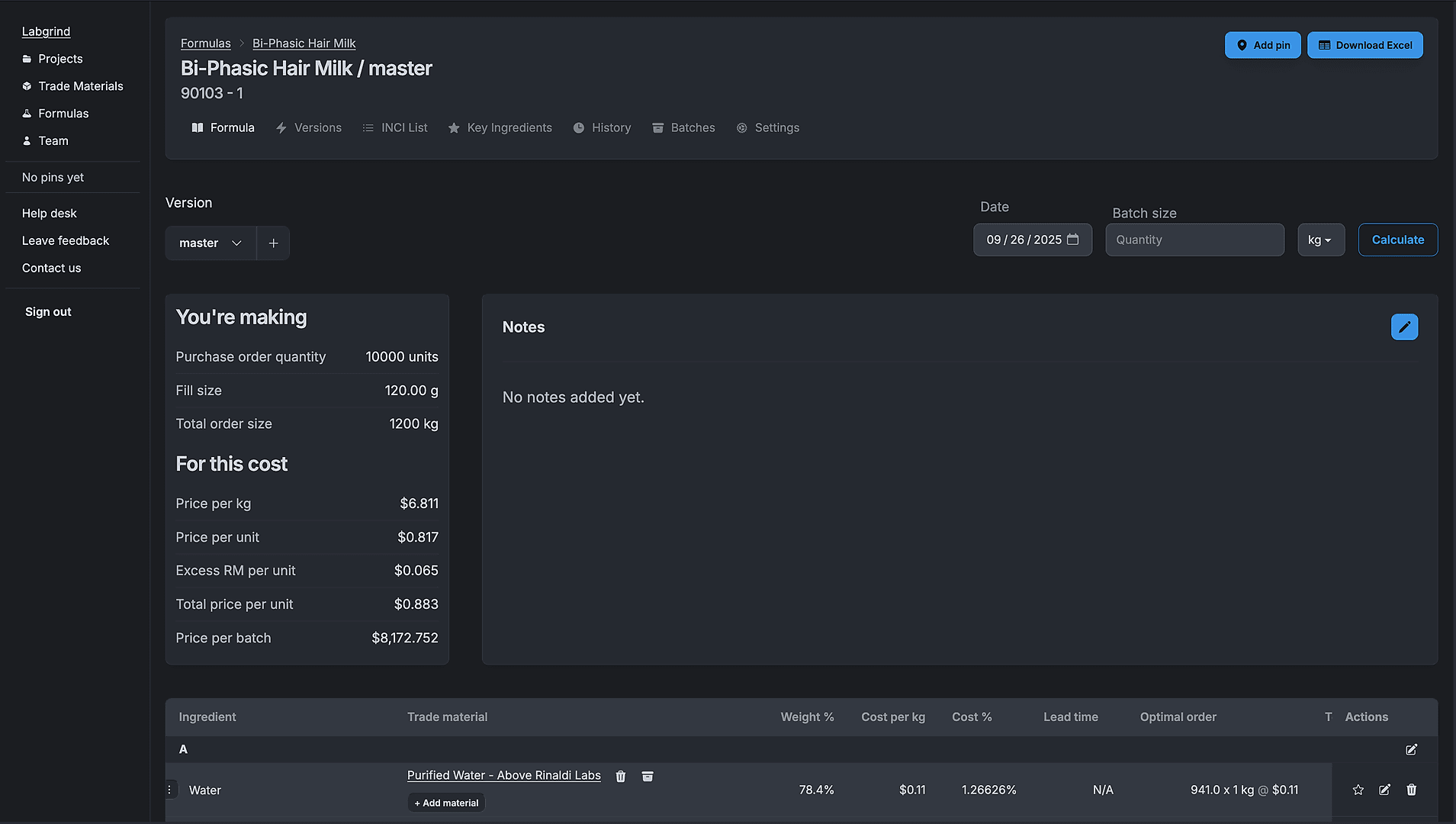
- The mobile design of the app got much better.
- Big improvements to test coverage and overall reliability.
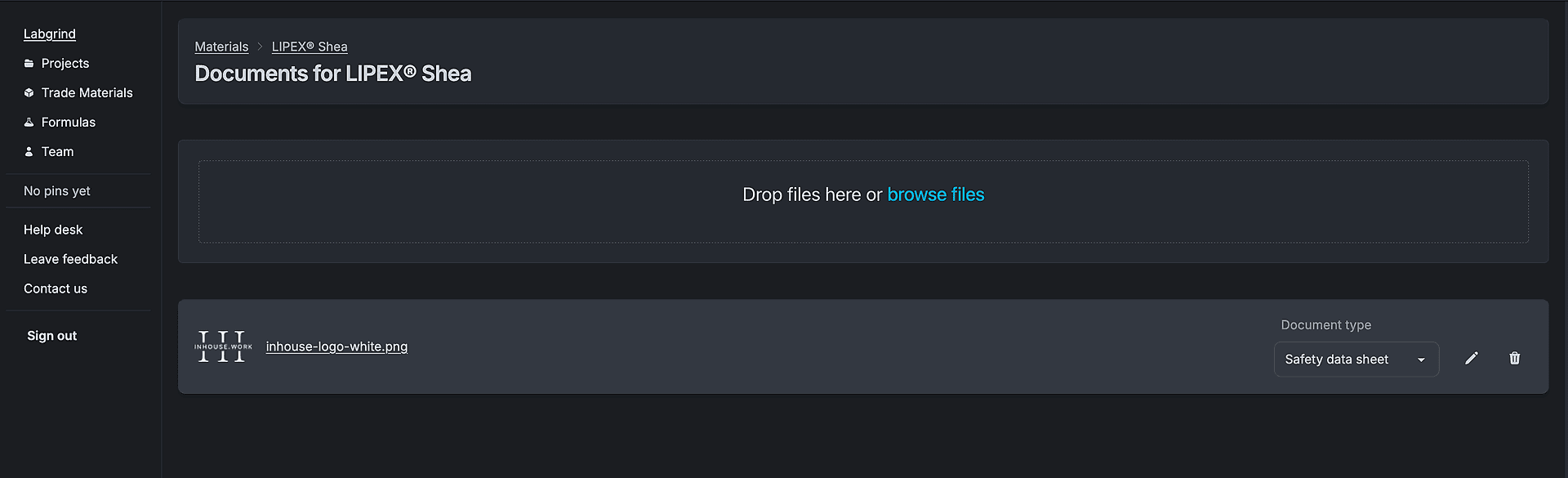
- Trade materials can now add documents.
v0.4
- We fixed bugs with removing pins from the sidebar, displaying duplicate phases, moving materials between phases and archiving formulas.
- You can now sign in passwordless with a magic link.
- Batch exporting to excel got better formatting.
- Batches had their weight and weight percentage ordering swapped.
- Batch printing css got dramatically improved.
- We subtly changed a lot of the colors to be less intrusive. Actions are now more prominent.
v0.3
- We added filtering materials with tags, stocked, and preferred toggles.
- We improved the search speed of materials.
v0.2
- Formulas and batches now have notes on them that can be edited. The notes are specific to the version. Batches will keep the notes they were originally created with, even if you update the notes on a more recent version.
- Formulas now load much faster.
- We added a country of origin and source to materials.
- Fixed rounding on weights, we won't display insignificant digits but keeps precision to 5 decimal places. All internal calculations keep full precision.
v0.1
This is the not really the release, but the first one recorded publicly on the changelog.
- When editing an ingredient, INCI names will now auto complete with matches.
- Adding a formula is now less confusing by forcing a choice of which one to clone or whether to make a new one.
- Formula history got a nice facelift.
- Batches now display better for printing.
- Timestamps for formulas and versions got nicer.